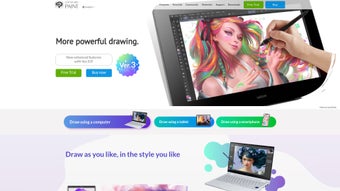

Download CLIP STUDIO PAINT – Professional Digital Art Studio for Illustration, Manga & Animation
Overview
CLIP STUDIO PAINT is a full‑featured, web‑enabled art studio that targets creators who want a realistic, flexible, and powerful drawing environment across all major platforms. Whether you are a veteran comic artist, a manga enthusiast, an animator, or a hobbyist who simply loves sketching on a tablet, this software combines the tactile feel of traditional media with the speed, precision, and convenience of modern digital workflows. The brush engine emulates real‑world materials—brushes, pens, pencils, and inks—allowing you to blend colors, adjust opacity, and simulate texture in a way that feels natural to the hand.
Its UI is purpose‑built for three core modes: Illustration, Comic, and Animation, each of which can be toggled with a single click, eliminating the need to switch between separate programs. A thriving community marketplace supplies thousands of user‑generated brushes, 3‑D models, and material packs, ensuring you never run out of creative resources. Beyond drawing, CLIP STUDIO PAINT includes story‑boarding tools, panel layout helpers, speech‑balloon generators, and a timeline‑based animation engine capable of exporting up to 4K video.
Multi‑device sync lets you start a sketch on a Windows PC, continue on a macOS laptop, and finish details on an iPad or Android tablet without losing any data. In short, CLIP STUDIO PAINT offers a secure, regularly updated solution that bridges the gap between traditional artistry and modern digital production, making it an essential tool for anyone serious about creating high‑quality visual content.
Feature Set that Powers Modern Creators
The depth of CLIP STUDIO PAINT’s specialized features is what truly separates it from other drawing applications. Its brush engine is exceptionally customizable: you can fine‑tune texture, density, wetness, and even simulate brush‑stroke dynamics based on pressure and tilt, delivering a lifelike painting experience. Smart Coloring and Shading Assist automatically detect line‑art boundaries, allowing you to fill large areas with perfect color separations in seconds—an invaluable time‑saver for comic panels and manga pages.
Built‑in rulers and perspective guides support one‑point, two‑point, and three‑point perspective, while free‑hand curve rulers help you draw perfect arcs and circles. The integrated 3‑D object library lets you import, pose, and manipulate models that can serve as reference or be directly incorporated into scenes, dramatically speeding up background creation. For animators, the timeline supports frame‑by‑frame drawing, onion‑skin preview, and key‑frame interpolation, with output options ranging from PNG sequences to 4K MP4 video files.
A powerful text engine includes auto‑layout for speech balloons, making dialogue placement effortless. Cloud sync ensures that projects stay up‑to‑date across Windows, macOS, iOS, and Android devices, while the Community Material store offers free and premium assets that extend the software’s capabilities without extra coding. Together, these features create a fluid, all‑in‑one environment that reduces reliance on third‑party plug‑ins or additional applications.
- Highly customizable brush engine with realistic texture simulation.
- Smart Coloring & Shading Assist for rapid flat‑color fills.
- Advanced perspective rulers and curve guides.
- Integrated 3‑D object library for reference and scene building.
- Full‑featured animation timeline with onion‑skin and 4K export.
- Speech‑balloon generator and auto‑layout text tools.
- Cloud sync across Windows, macOS, iOS, Android, and web.
- Extensive community marketplace for brushes, materials, and 3‑D models.
Installation, Usage & Compatibility
Getting started with CLIP STUDIO PAINT is straightforward and designed for both desktop and mobile users. The installer is available as a single executable for Windows (.exe) and a DMG package for macOS. Mobile users can download the app from the Apple App Store or Google Play Store.
After downloading, run the installer and follow the on‑screen prompts: accept the license agreement, choose an installation folder, and decide whether to create a desktop shortcut. The first launch prompts you to sign in with a Clip Studio ID; this step unlocks cloud sync and access to the Community Material store. A setup wizard then asks you to select a default workspace—Illustration, Comic, or Animation—so the UI adapts to your primary workflow.
Keyboard shortcuts are fully customizable in the Preferences panel, and the software supports pen pressure, tilt, and button mapping for Wacom, XP‑Pen, and other major graphics tablets.
In terms of operating system support, CLIP STUDIO PAINT runs on the following platforms:
- Windows 10 (64‑bit) and later
- macOS 10.14 (Mojave) and later
- iOS 13+ (iPad & iPhone)
- Android 8.0+ (tablet and large‑screen phones)
Performance is optimized for multi‑core CPUs and leverages GPU acceleration for canvas rendering, ensuring smooth brush strokes even on high‑resolution canvases. Regular updates are delivered automatically through the built‑in updater, providing new features, bug fixes, and security patches without user intervention. For teams or classrooms, volume licensing and a 30‑day free trial are available, allowing users to explore the full feature set before committing to a purchase.
Conclusion – Pros, Cons, FAQ & Call to Action
Pros
- Extremely realistic brush engine that rivals traditional media.
- All‑in‑one solution for illustration, comic creation, and animation.
- Robust community marketplace with thousands of free assets.
- Cross‑platform sync keeps work consistent across PC, Mac, iOS, and Android.
- Smart tools (Coloring, Shading Assist) dramatically speed up workflow.
- Regular, free updates improve stability and add new features.
Cons
- Learning curve can be steep for beginners unfamiliar with comic‑specific tools.
- Full feature set requires a paid license; the free trial is time‑limited.
- Some advanced 3‑D object features need higher‑end hardware for smooth performance.
- Interface may feel cluttered when all toolbars are enabled simultaneously.
Frequently Asked Questions
Is there a free version of CLIP STUDIO PAINT?
A fully functional free trial is available for 30 days. After the trial, you need to purchase a license (standard or EX version) to continue using the software.
Can I use CLIP STUDIO PAINT on a tablet and a PC simultaneously?
Yes. By signing into the same Clip Studio ID on both devices, your projects are synced via the cloud, allowing seamless switching between tablet and desktop.
Does the software support 4K animation export?
Absolutely. The animation timeline can render frames at up to 3840 × 2160 pixels, making it suitable for high‑resolution video projects.
What file formats can I import and export?
Import: PSD, PNG, JPEG, BMP, GIF, TIFF, and Clip Studio’s native .clip files. Export: PNG, JPEG, BMP, TIFF, PSD, MP4, GIF, and animated PNG sequences.
Is there a discount for students or educators?
Yes. Clip Studio offers a special educational license at a reduced price, provided you can verify your academic status.
Ready to elevate your art? CLIP STUDIO PAINT stands out as a secure, feature‑rich platform that bridges the gap between traditional techniques and modern digital workflows. Its extensive brush customization, smart coloring tools, and built‑in animation engine make it a one‑stop solution for illustrators, manga creators, and animators alike. While the learning curve may be a bit steep for absolute beginners, the wealth of tutorials, community assets, and responsive updates ensure that the investment pays off quickly. Download the free trial today, explore the full feature set, and decide if this versatile studio meets your creative ambitions.



.png)



